20 Best ATS Friendly Resume Templates in Word to Get Hired
In today’s highly competitive job market, an overly complicated CV design can actually hurt your chances of landing an interview. Most large corporations now use applicant tracking systems (ATS) to filter candidates automatically. If your layout is cluttered with unreadable graphics, the software will instantly reject it. That is exactly why choosing a clean, well-structured ATS friendly resume template Word file is absolutely critical. In this comprehensive guide, I will share my top 20 professional layouts that guarantee your application will be perfectly read by both hiring algorithms and human recruiters.
1. ATS Resume Template, Word Pages Docs
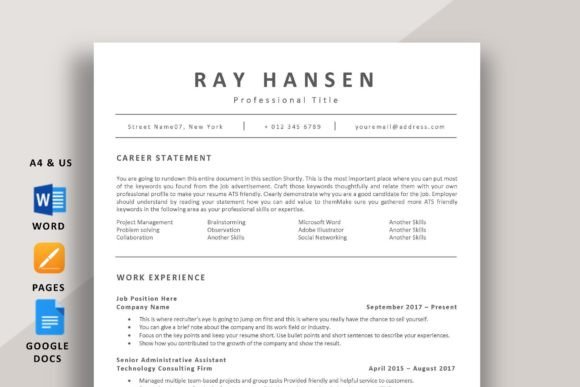
This remarkable ATS friendly resume template Word layout strips away all unnecessary visual noise, focusing entirely on clean typography and intelligent content grouping. It features distinct, highly legible headers and perfectly aligned bullet points that allow applicant tracking algorithms to parse your work history without any errors. The aesthetic is strictly professional, avoiding complex tables or graphics that often confuse recruiting software. It delivers your professional narrative directly and effectively to the hiring manager.
My Recommendation: I strongly advise using this specific document if you are applying for corporate roles in finance, law, or operations. Since these industries value tradition and clarity, the hyper-minimalist design will make your application look incredibly serious and refined. Keep your bullet points action-oriented, and let this crisp layout do the heavy lifting of presenting your achievements.
2. ATS Resume Template Word & Google Docs
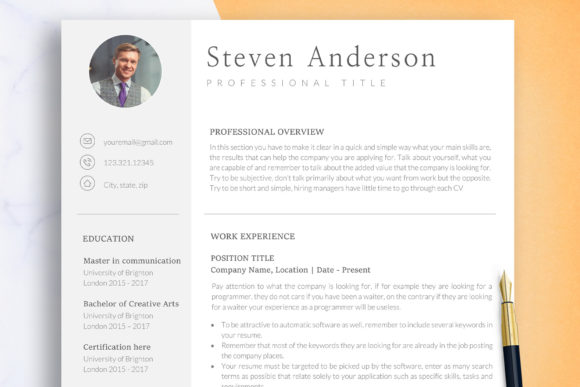
Versatility meets algorithmic perfection in this sleek modern document. Designed to be a top-tier ATS friendly resume template Word format, it utilizes standard, universally accepted fonts and single-column formatting to ensure maximum compatibility across all hiring platforms. The design naturally draws the reader’s eye down the page, creating a logical flow from your summary to your education. It proves that you do not need flashy graphics to create an impactful and aesthetically pleasing curriculum vitae.
My Recommendation: This is your ultimate go-to if you are submitting applications through major portals like Workday or Taleo. It is engineered to prevent parsing errors. I highly recommend taking advantage of the designated “Key Skills” section at the top—fill it with exact keywords from the job description to instantly boost your automated ranking score.
3. ATS Friendly Resume Template for Word
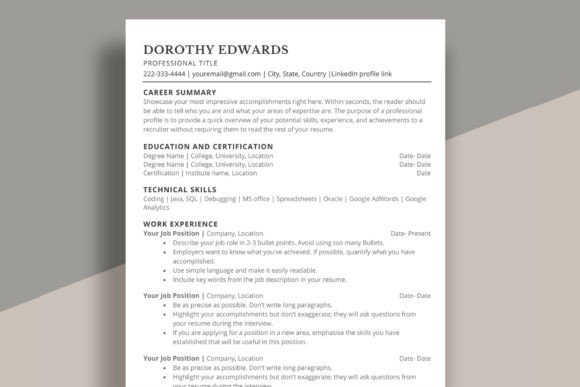
Striking the perfect balance between modern design and strict corporate standards, this layout is an exceptional choice for modern professionals. As a dedicated ATS friendly resume template Word option, it features subtly bolded section titles and generous line spacing that make reading a breeze for tired HR professionals. The structure is built strictly on text boxes that algorithms can easily translate, completely avoiding problematic text wrap issues. It looks expensive, polished, and undeniably smart.
My Recommendation: I absolutely love this layout for mid-level managers and marketing professionals. It provides enough aesthetic flair to look modern, but remains completely safe for corporate software. Be sure to utilize the included cover letter design—submitting a perfectly matched set instantly signals to the recruiter that you have excellent attention to detail.
4. ATS Resume Template for Word | ATS CV
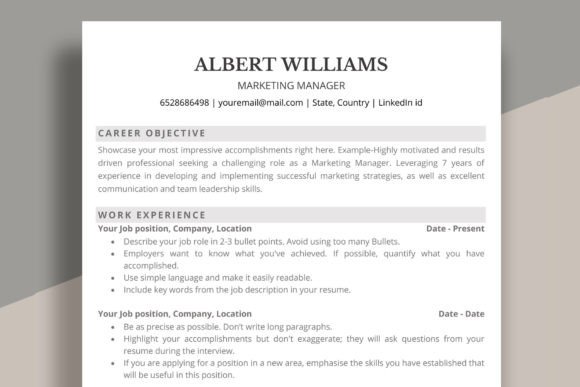
When you have a long and detailed career history, finding a clean way to display it can be challenging. This robust ATS friendly resume template Word layout solves that problem by offering a highly efficient use of vertical space. It utilizes narrow margins and a compact header to allow more text on the first page without looking crowded. The formatting ensures that your dates of employment and job titles align perfectly, an essential requirement for accurate chronological parsing by HR software.
My Recommendation: This should be your immediate choice if you have more than ten years of experience and need to fit multiple roles into a two-page maximum limit. Use the tight bullet point spacing to your advantage by listing dense, metric-driven achievements. The strict alignment will keep your massive amount of data looking incredibly organized and accessible.
5. ATS Resume Template Word & Google Docs
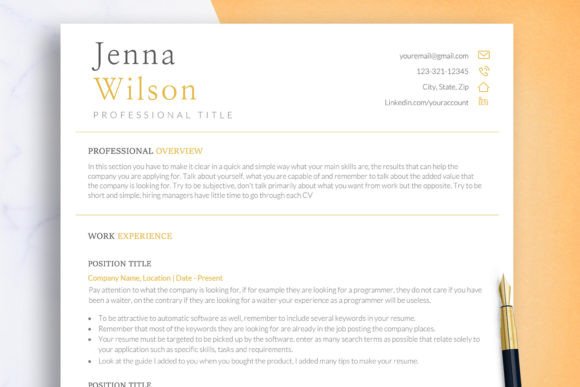
Embracing extreme clarity, this particular document serves as a prime example of algorithmic optimization. By operating as a strictly text-based ATS friendly resume template Word file, it guarantees a 100% success rate when passing through digital filters. The visual hierarchy is established purely through font weight and sizing, eliminating the need for complex colored backgrounds or multiple columns. It is a brilliant return to basics, proving that the most effective career documents are often the most straightforward.
My Recommendation: I strongly advise fresh graduates and entry-level applicants to use this specific framework. When your work history is short, you need to rely on clear formatting to make your educational background and internship skills shine. The simple layout will prevent your document from looking artificially inflated, presenting you as an honest, straightforward, and highly professional candidate.
6. ATS Friendly Resume Template
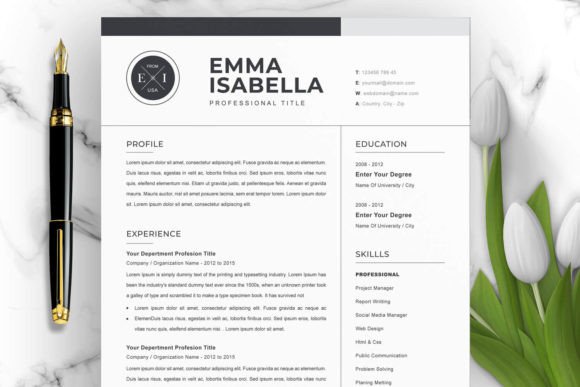
This layout introduces a very subtle touch of modern editorial design while remaining fundamentally safe for HR software. Operating as an advanced ATS friendly resume template Word asset, it features elegant horizontal divider lines that neatly separate your professional milestones. The typography is crisp and contemporary, making your document visually distinct from the standard, boring default templates, yet it maintains the rigid text structure required for flawless data extraction.
My Recommendation: If you are applying for a role in a modern tech company, a digital startup, or an administrative position, this is a fantastic option. It shows that you care about aesthetics and presentation while still understanding corporate rules. I recommend keeping the text completely black and letting the thin separating lines provide all the necessary visual architecture.
7. Clean Resume Template for Word | CV Word
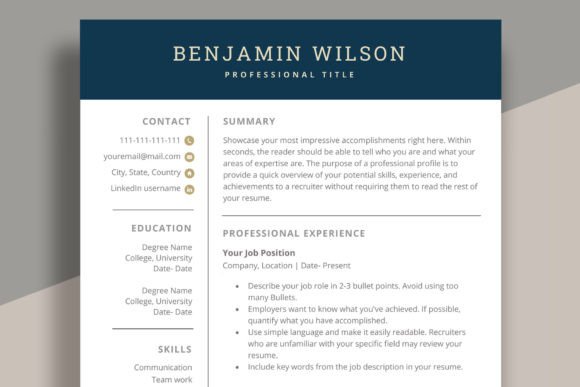
Purity in design often translates directly to professional competence. This impeccably clean document functions beautifully as an ATS friendly resume template Word file by championing negative space. The wide margins and breathable paragraphs ensure that the human recruiter who eventually reads your application won’t suffer from eye fatigue. It uses standard font families that are native to all operating systems, guaranteeing that your formatting will never break, no matter what device it is opened on.
My Recommendation: I always suggest this layout for consultants, freelance professionals, and independent contractors. The sheer amount of white space makes your document look like a premium executive brief. Use the spacious header to prominently display a link to your LinkedIn profile or professional portfolio, maximizing the chances of recruiters exploring your background further.
8. Clean Resume Template for Word
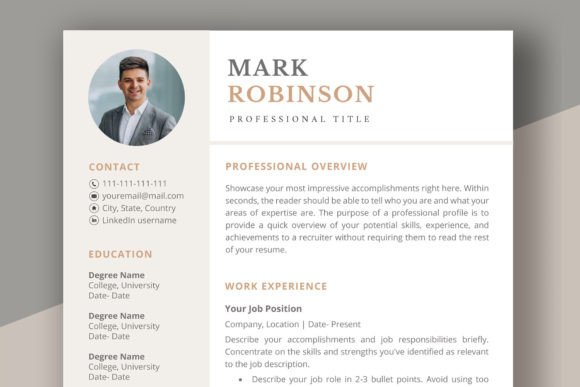
Focusing entirely on high legibility, this layout is a testament to the power of traditional document structuring. It stands out as a highly reliable ATS friendly resume template Word option by using an intuitive chronological layout. Your most recent experiences are presented with bold titles and immediate dates, allowing automated systems to accurately calculate your years of experience in the industry. It is a no-nonsense, straightforward design that gets right to the business of getting you hired.
My Recommendation: This should be the core document for anyone transitioning back into the traditional corporate workforce or applying for government and state-level positions. Those institutions utilize the strictest filtering software available. By employing this rigorously standard formatting, you eliminate the risk of your impressive background being discarded due to a technical parsing glitch.
9. Clean Resume Template, CV for Word
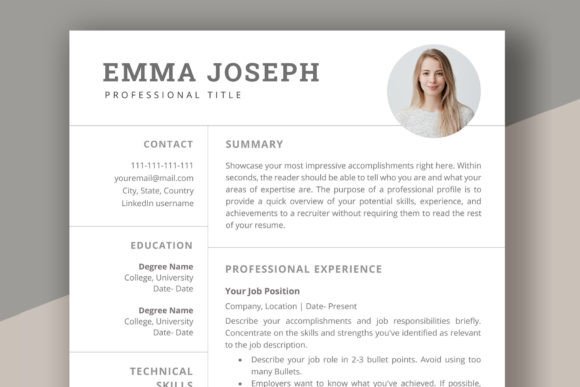
Combining elegant simplicity with algorithmic safety, this template provides an exceptional platform for detailing your career narrative. As an optimized ATS friendly resume template Word asset, it features an expanded professional summary section at the very top. This strategic placement allows you to front-load your document with essential industry keywords before the parsing software even reaches your job history. The overall aesthetic is incredibly sharp, modern, and brilliantly optimized for fast reading.
My Recommendation: I highly recommend this setup for career changers or those targeting a pivot in their industry. Since your chronological job titles might not perfectly match your new desired role, use the prominent summary block at the top to clearly explain your transferable skills. The clean layout will ensure that your narrative is understood perfectly by both the robot and the hiring manager.
10. Professional Resume Template | MS Word
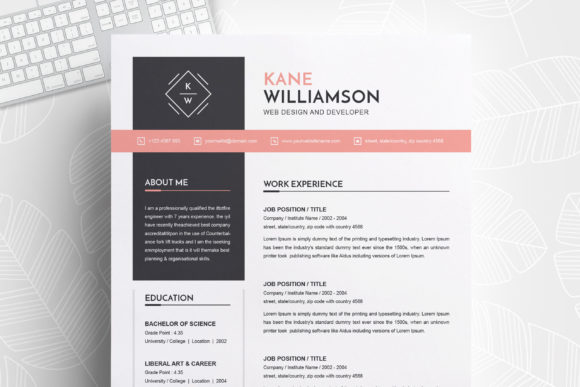
This layout is the very definition of corporate excellence. It serves as an incredibly effective ATS friendly resume template Word option by utilizing a strictly single-column flow. Complex sidebars are completely removed to prevent text-scrambling during the digital extraction process. Instead, it relies on clearly demarcated headings and precise indentation to create a structured, highly authoritative document that screams executive readiness from the first glance.
My Recommendation: Every seasoned professional needs a master document like this in their files. I advise using this specific layout when communicating with executive search firms or high-end headhunters. They process thousands of CVs a week, and handing them a document with zero formatting issues will instantly put you in their good graces and speed up your submission process.
11. Professional Resume Template MS Word
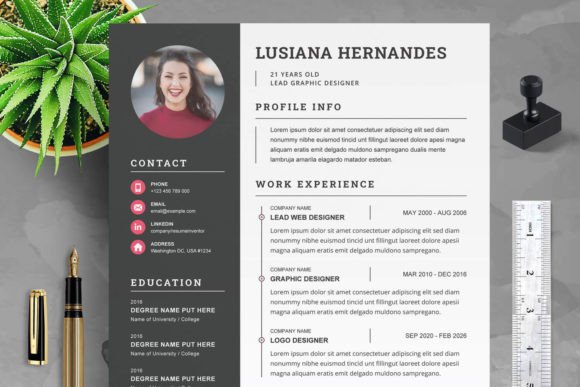
Designed with meticulous attention to detail, this document ensures your credentials are presented without any technical hiccups. It is a premier ATS friendly resume template Word file that utilizes standard system fonts and native Word formatting tools instead of complex text boxes. This means that when a company’s HR software strips away the design to read the raw text, your bullet points, dates, and job titles will remain in perfect, logical order, preserving the integrity of your professional timeline.
My Recommendation: This is my definitive choice for professionals in accounting, data analysis, and engineering. In these fields, your ability to present data cleanly is almost a test of your professional competence. By choosing this rigidly structured layout, you implicitly demonstrate your appreciation for order, logic, and precision.
12. Modern Resume Template for Office Job
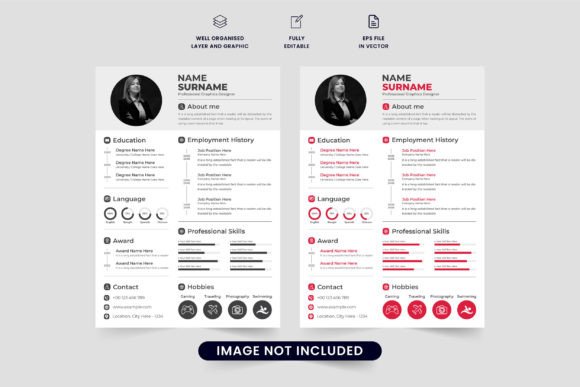
Administrative and office roles require a presentation that is both highly organized and approachable. This design operates as a flawless ATS friendly resume template Word asset by offering dedicated, easily readable sections for software proficiencies and core administrative skills. It uses slightly softer, modern typography that feels welcoming while still adhering to the strict formatting rules required by large-scale enterprise tracking systems. It is the perfect blend of personality and corporate conformity.
My Recommendation: If you are applying for roles such as Office Manager, Executive Assistant, or HR Coordinator, you must download this immediately. I recommend using the dedicated skills section to list out every specific software you master (e.g., Salesforce, SAP, Advanced Excel). The ATS robots will pick up those exact technical terms, instantly pushing you to the top of the candidate pile.
13. Executive Word Resume Template
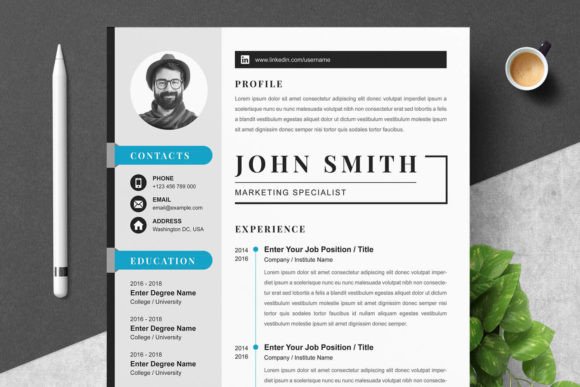
High-level management requires high-level presentation. This executive layout is a monumental ATS friendly resume template Word document designed for leadership roles. It intentionally minimizes the space used for contact info to maximize the area dedicated to executive summaries and major career milestones. The aesthetic is heavily text-driven, utilizing bold typography to make your leadership achievements and revenue-generating metrics jump off the page during human review, all while remaining 100% machine-readable.
My Recommendation: Directors, VPs, and C-suite executives should utilize this exact framework. When applying for senior roles, your resume should look like a high-level business brief. I strongly advise starting every bullet point with a powerful action verb and a hard number (e.g., “Scaled revenue by 40%…”). The strict layout will ensure those crucial metrics are never missed by the recruiter.
14. Clean and Modern Resume Template Word
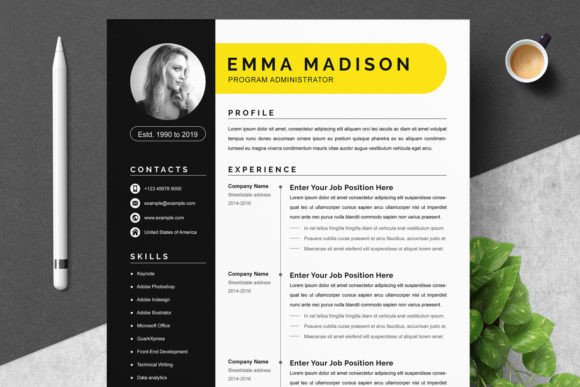
This layout beautifully demonstrates that “corporate” does not have to mean “boring”. Functioning seamlessly as an ATS friendly resume template Word file, it injects a subtle modern flair through elegant font pairings and optimal paragraph spacing. It eschews the outdated, crammed look of legacy resumes, offering a refreshing, breezy reading experience. Despite its modern feel, the underlying code and table structures are perfectly aligned with standard software parsing requirements.
My Recommendation: I consider this the perfect middle-ground layout for modern B2B sales professionals, account managers, and business developers. It shows that you are contemporary and forward-thinking, but fully capable of operating within a structured corporate environment. Use the clean layout to highlight your quota achievements and client retention rates with absolute clarity.
15. Clean & Simple Resume Template Word
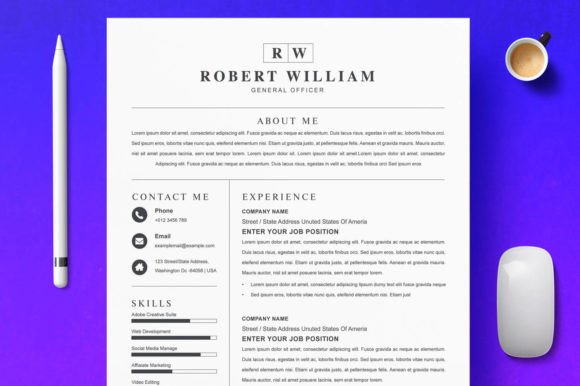
Sometimes, the most effective strategy is the simplest one. This highly minimalist document is the quintessential ATS friendly resume template Word design. It relies on standard black text, native Word bullet points, and traditional left-alignment. By removing all design complexities, you guarantee that any hiring software—no matter how outdated or rigid—will extract your contact information, education, and job history with absolute perfection.
My Recommendation: Keep this template handy if you are applying through massive job aggregators or legacy enterprise portals where technical glitches are common. Because the design is so incredibly basic, you must ensure your copywriting is top-notch. Spend your time crafting powerful, keyword-rich bullet points, knowing that the simple layout will deliver them flawlessly to the employer.
16. ATS Resume Template for Word | CV Word
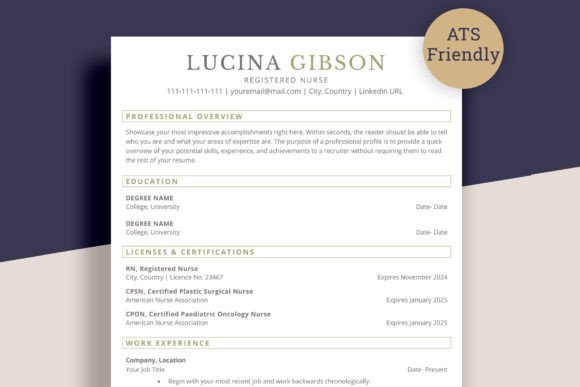
Engineered for maximum keyword density, this smart layout is a technical marvel for job seekers. As a dedicated ATS friendly resume template Word asset, it features multiple designated skill columns near the top of the page. This allows you to naturally integrate dozens of core competencies and software skills without making the document feel overwhelming. The chronological job history section follows immediately after, creating a structurally sound profile that machines love to read.
My Recommendation: IT professionals, software engineers, and digital analysts should definitely use this format. Your professions require a massive list of technical skills and coding languages. Use the top sections to list out your entire tech stack—the ATS will scan these keywords instantly, verifying your technical qualifications before a human even looks at your past projects.
17. ATS Resume Template | CV for Word
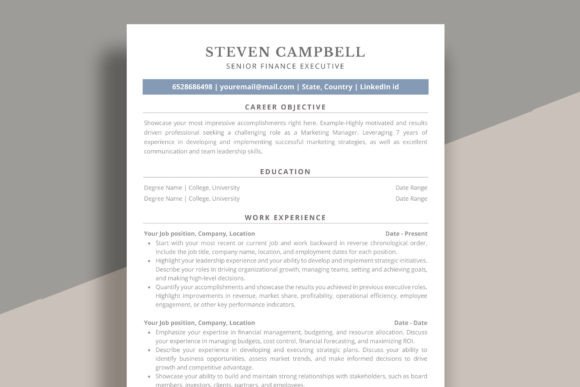
This document is the perfect solution for those needing a quick, reliable, and highly effective career update. Functioning perfectly as an ATS friendly resume template Word layout, it relies on a classic serif and sans-serif font pairing that exudes traditional authority. The layout uses horizontal ruling to strictly define the boundaries between your summary, experience, and education, ensuring that the parsing algorithms never mix up your graduation dates with your employment dates.
My Recommendation: I highly recommend this for academic applicants, researchers, and legal professionals. The traditional aesthetic aligns perfectly with the conservative nature of those industries. It provides a highly dignified canvas that allows your extensive publications, degrees, and professional certifications to take absolute priority on the page.
18. Professional CV Resume Template Word
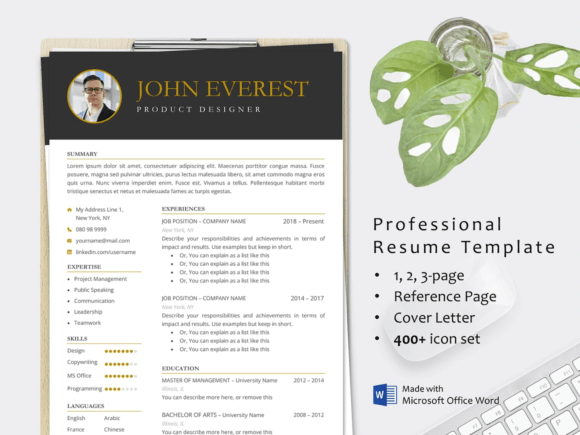
Modern corporate recruiting demands immediate clarity, and this template delivers it effortlessly. It is a highly optimized ATS friendly resume template Word file that features a slightly bolder header section to make your name and contact details highly memorable during the final human review stage. The rest of the document adheres strictly to standard, machine-readable formatting, providing the perfect blend of personal branding and technical compliance for your job search.
My Recommendation: Use this layout if you are attending a hybrid hiring process where you submit your resume online but also bring physical copies to the interview. The clean formatting ensures you pass the digital gatekeepers, while the strong header provides an excellent visual anchor when the recruiter is holding your document in person.
19. Word Clean Resume Template
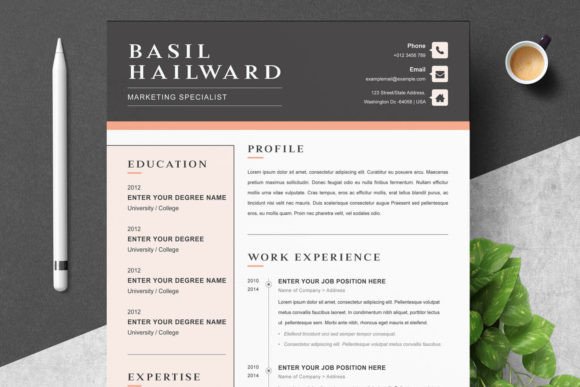
Stripping away the noise to highlight your core achievements, this template is a masterpiece of corporate minimalism. As a reliable ATS friendly resume template Word design, it features tightly organized bullet point lists and clear, bolded date ranges on the right-hand margin. This specific structural choice ensures that HR software can easily chronologically map your career progression, proving your reliability and consistent professional advancement without any technical errors.
My Recommendation: This is an absolute lifesaver for professionals who have held many positions over a short period. The strict, margin-aligned date formatting will help organize a busy career history into a logical, easy-to-read timeline. Keep your descriptions tight and let the clean formatting present you as a highly organized and efficient candidate.
20. Professional Business Resume Template
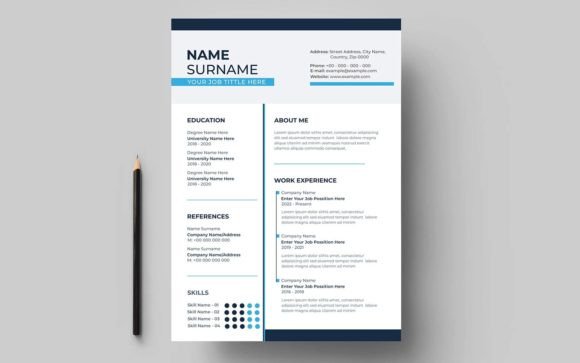
Concluding our list is a robust, all-around corporate workhorse. This specific layout is the ultimate ATS friendly resume template Word asset, offering an incredibly balanced approach to spacing, typography, and section alignment. It is universally compatible with almost every major tracking software on the market. It provides a timeless, dignified look that completely avoids flashy gimmicks, ensuring your professional achievements are judged solely on their own incredible merit.
My Recommendation: Whenever you are in doubt about a company’s submission guidelines, default to this template. It is the safest, most professional choice you can make. It works beautifully for any corporate industry, ensuring your application will bypass the digital filters safely and land directly on the hiring manager’s desk in pristine condition.
Final Thoughts
Navigating modern corporate recruitment can feel like an endless battle against algorithms, but it doesn’t have to be. By choosing the right ATS friendly resume template Word layout, you guarantee that your hard-earned experience won’t be lost to a technical glitch. Keep your formatting clean, load your descriptions with relevant industry keywords, and let these professional designs open the door to your next big career move. Good luck with your job hunt!